Copy meal
The feature is helpful for quickly tracking food items that you consume frequently. For example, if you have the same breakfast often, you can copy and paste it from one day to the next instead of inputting it anew.
Steps to use copy and paste
- Locate the meal from where you want to copy the food item (e.g. breakfast) on the 'Diary' tab.
- Tap the three dots on the right-hand side of the meal’s name.
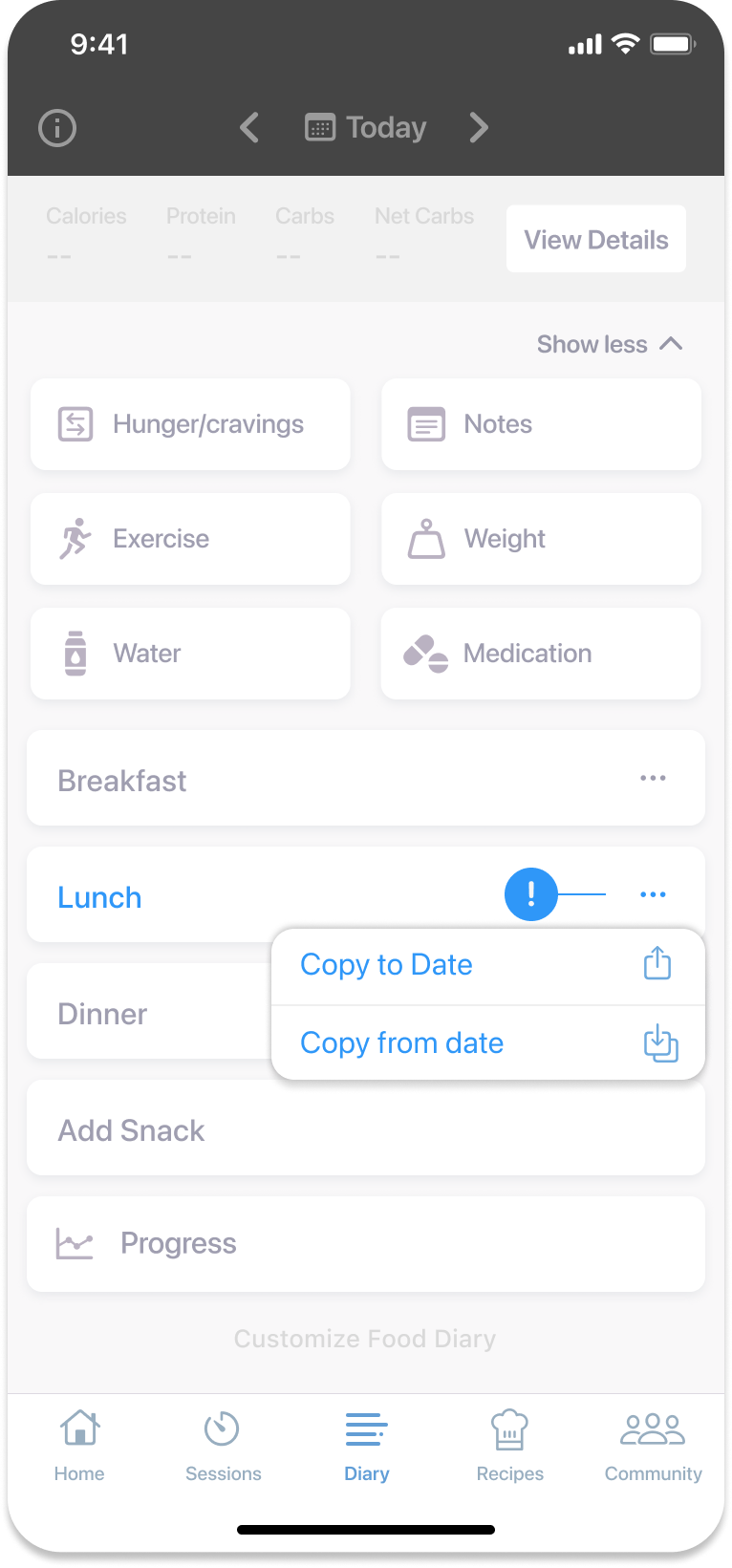
- Tap the ‘Copy from Date’ option.
- Pick the date and meal you’re copying from (e.g. June 13th, breakfast).
- Confirm by tapping ‘Copy Meal.’
Copying to another date
You can also copy a meal to another date.
- Tap the three dots on the right-hand side of the meal’s name.
- Tap the ‘Copy to Date’ option.
- Select the date and meal where you want to paste the food items.
- Confirm by tapping ‘Copy Meal.’
Note
After copying, you can review the diary for the new date to ensure the information has been added correctly.
Was this information helpful?