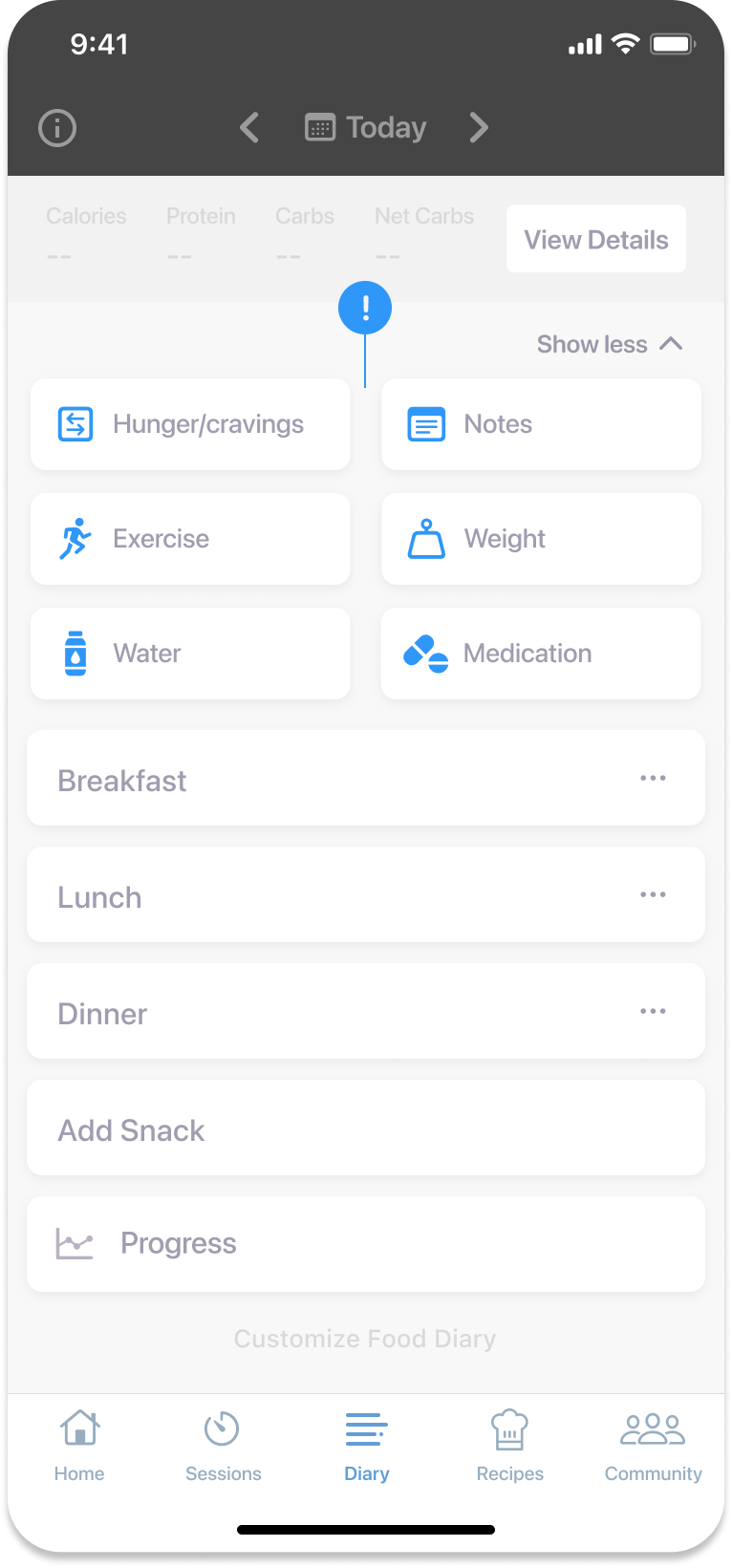
Diary tracking
Tracking weight
Within the ‘Diary’ tab, click on the 'Weight' button to track your most recent weight. You can track in kilograms or pounds (to change the weight unit, go to ‘Settings’ by clicking on the cogwheel on the top right-hand side of the ‘Home’ tab and click on 'Weight Unit'). This data point will be date stamped to your diary.
Tracking exercise
To track your exercise, click on the 'Exercise' button on the 'Diary' tab and select the intensity of the exercise you engaged in (light, moderate, vigorous) as well as the duration. You can also change the time stamp to when you engaged in exercise.
Tracking hunger and cravings
Click on the 'Hunger/cravings' button on the 'Diary' tab to give separate ratings to your hunger and cravings (on a scale from 1 to 5). We appreciate that hunger and cravings are two different feelings and we want to know if and when you are experiencing either of them.
You can also add a comment to provide further information as to why you gave a certain rating to your hunger and cravings.
Tracking water
Click on the 'Water' button on the 'Diary' tab to track your water intake. You can track in oz or mL (to change the water unit, go to ‘Settings’ by clicking on the cogwheel on the top right-hand side of the ‘Home’ tab and click on 'Water Unit'). This data point will be date stamped to your diary.
Notes
If there is something about your day you would like to remember (meals out, stress level etc) you can add some notes to your diary by clicking on the 'Notes' button on the 'Diary' tab. Your notes will be date stamped to your diary.